For small trucking fleets
Run your trucks with fewer phone calls and less paperwork.
FleetView AI reads the broker’s rate confirmation (rate con) and fills in the load, and you confirm it. Your driver presses one button at each stop, so you see the load move. Every DOT date for your trucks and drivers is on the same screen.
30 days free. No card needed. Cancel anytime.
- No GPS box
- No contract
- Drop any paper
- Your rates stay private
- Rate cons
- Loads
- Pickups and drops
- Dispatch
- Driver app
- Broker tracking links
- Detention
- Lumper receipts
- Invoices
- PODs
- Driver pay
- Expenses
- IFTA
- DOT dates
- Medical cards and CDLs
- FMCSA record
- Roadside inspections
- Daily truck check
- Accident register
- Proof links
Loads, money, drivers and DOT dates, side by side.
Pick one to see how it looks in FleetView.
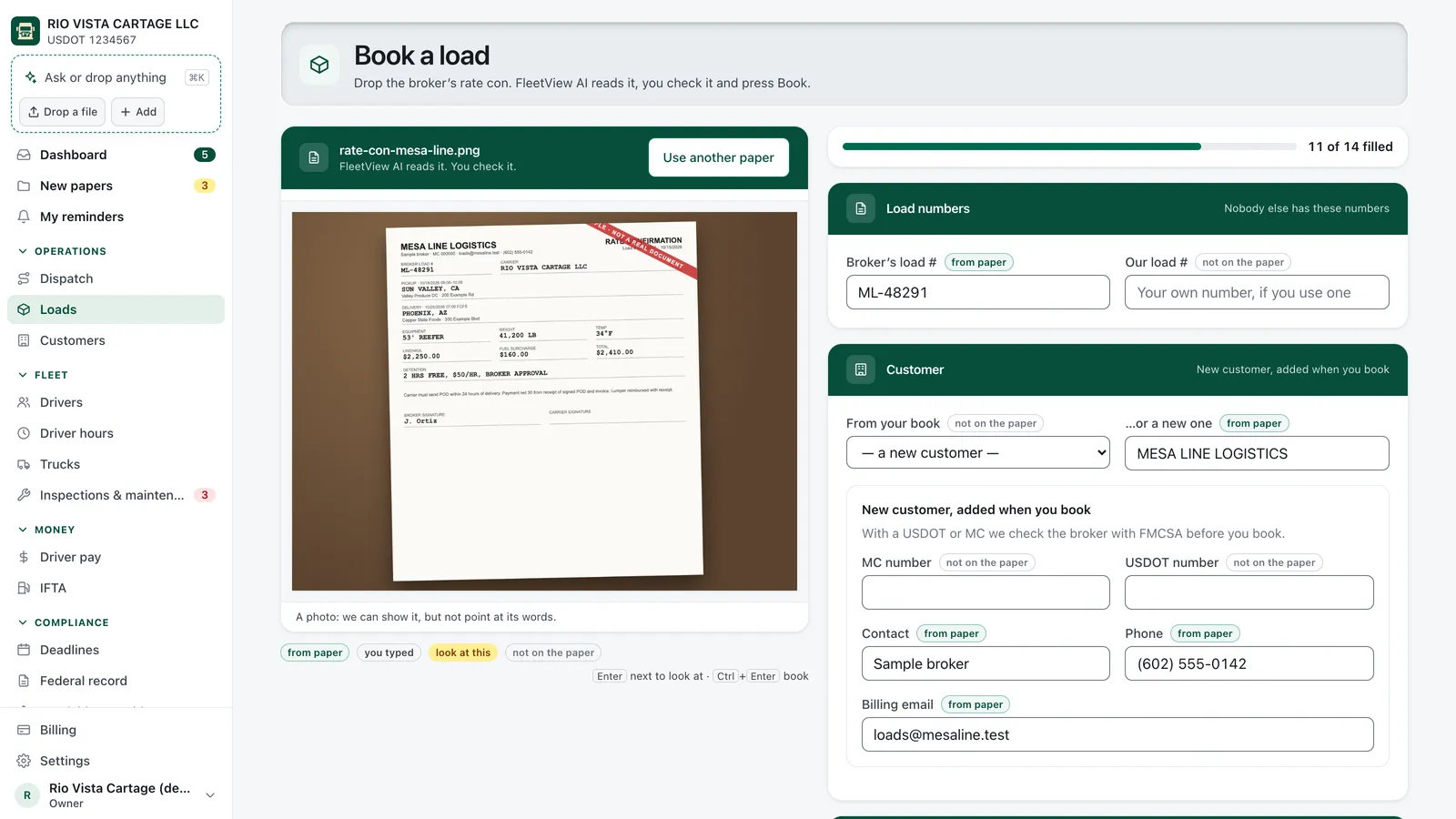
Book a load
Drop the rate con, then confirm.
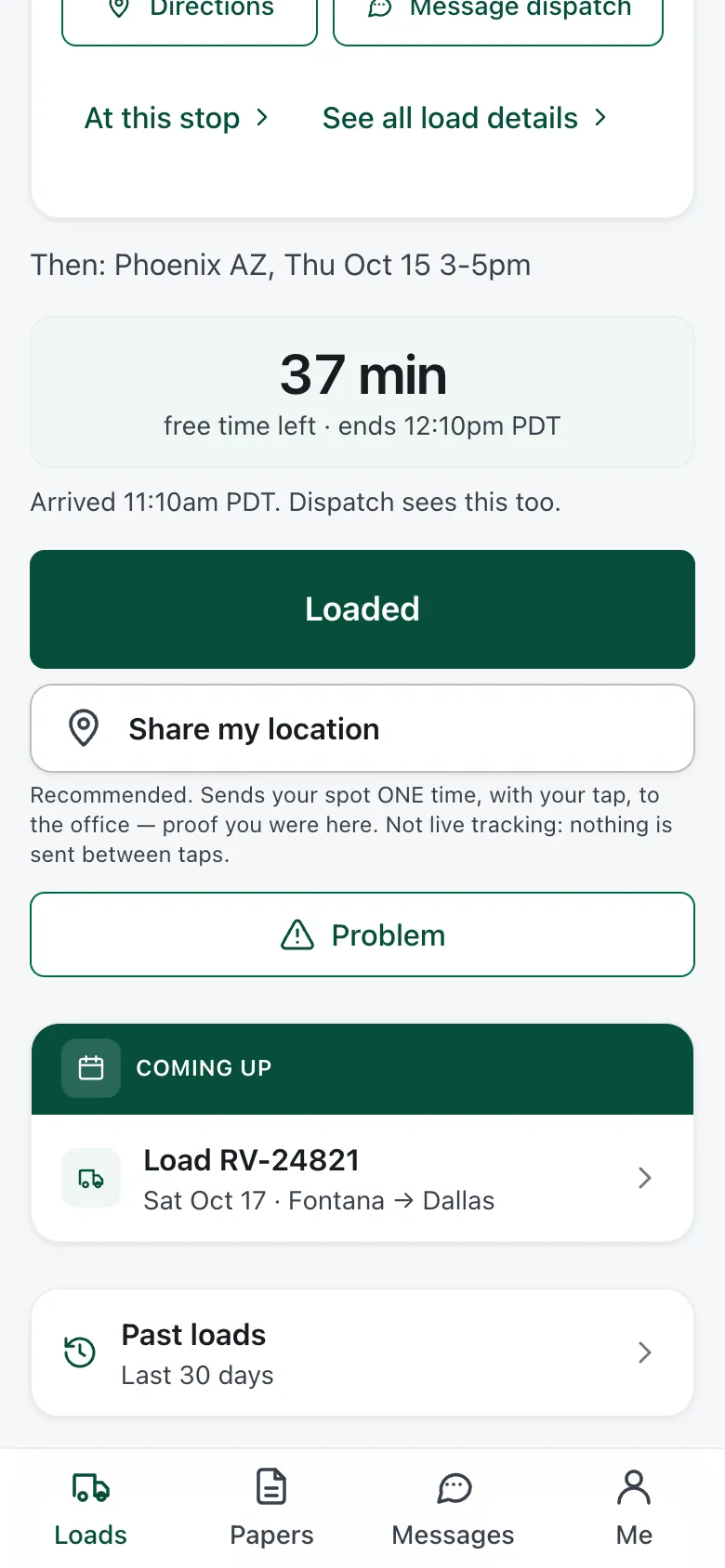
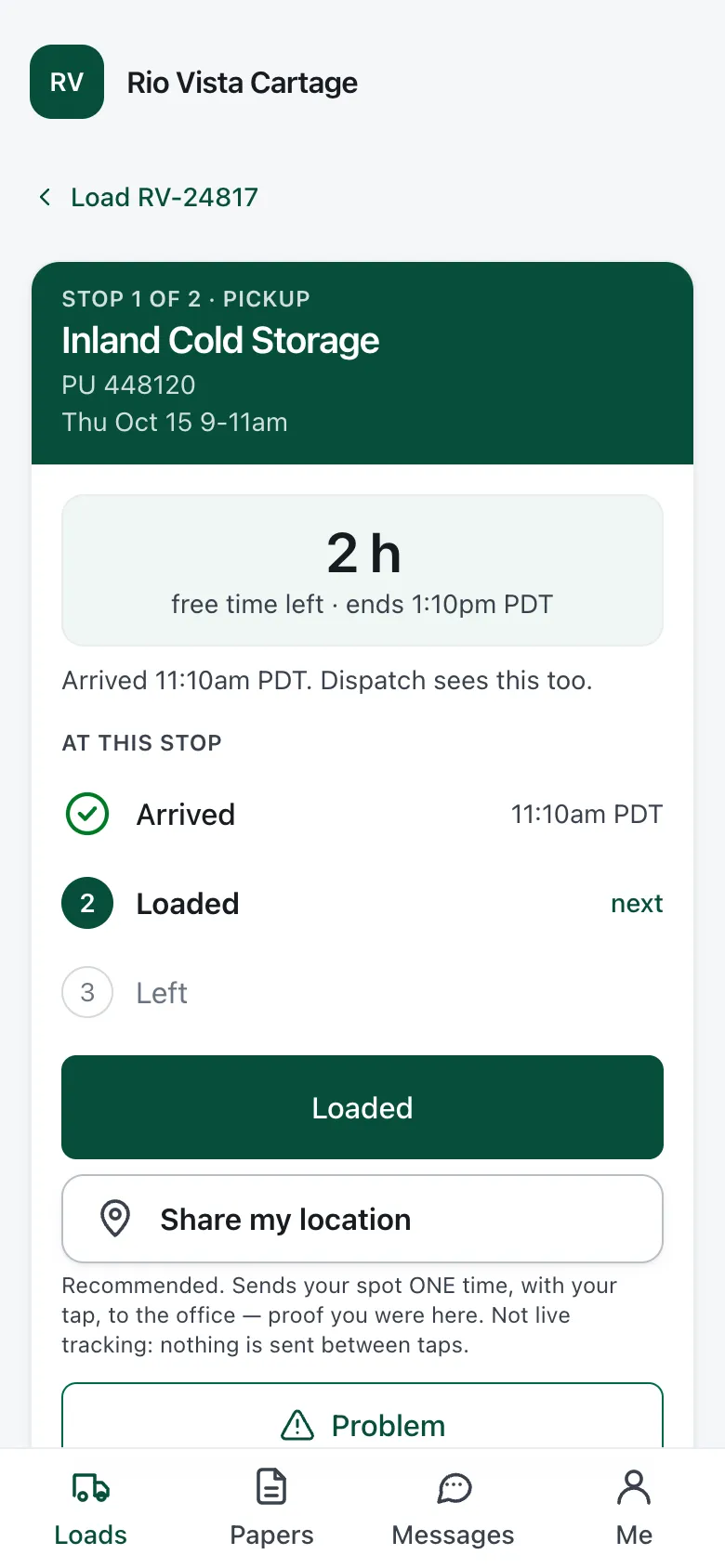
Driver app
Loads, papers and messages for drivers.
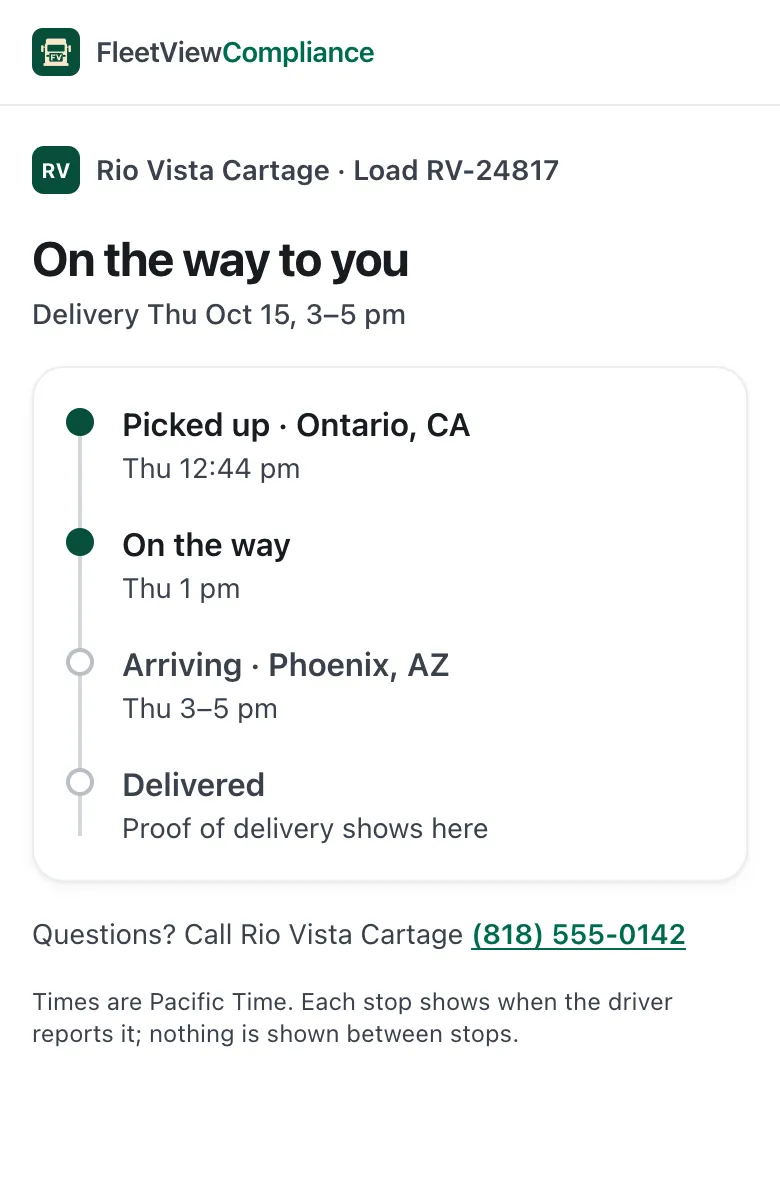
Broker tracking
A link the broker can open.
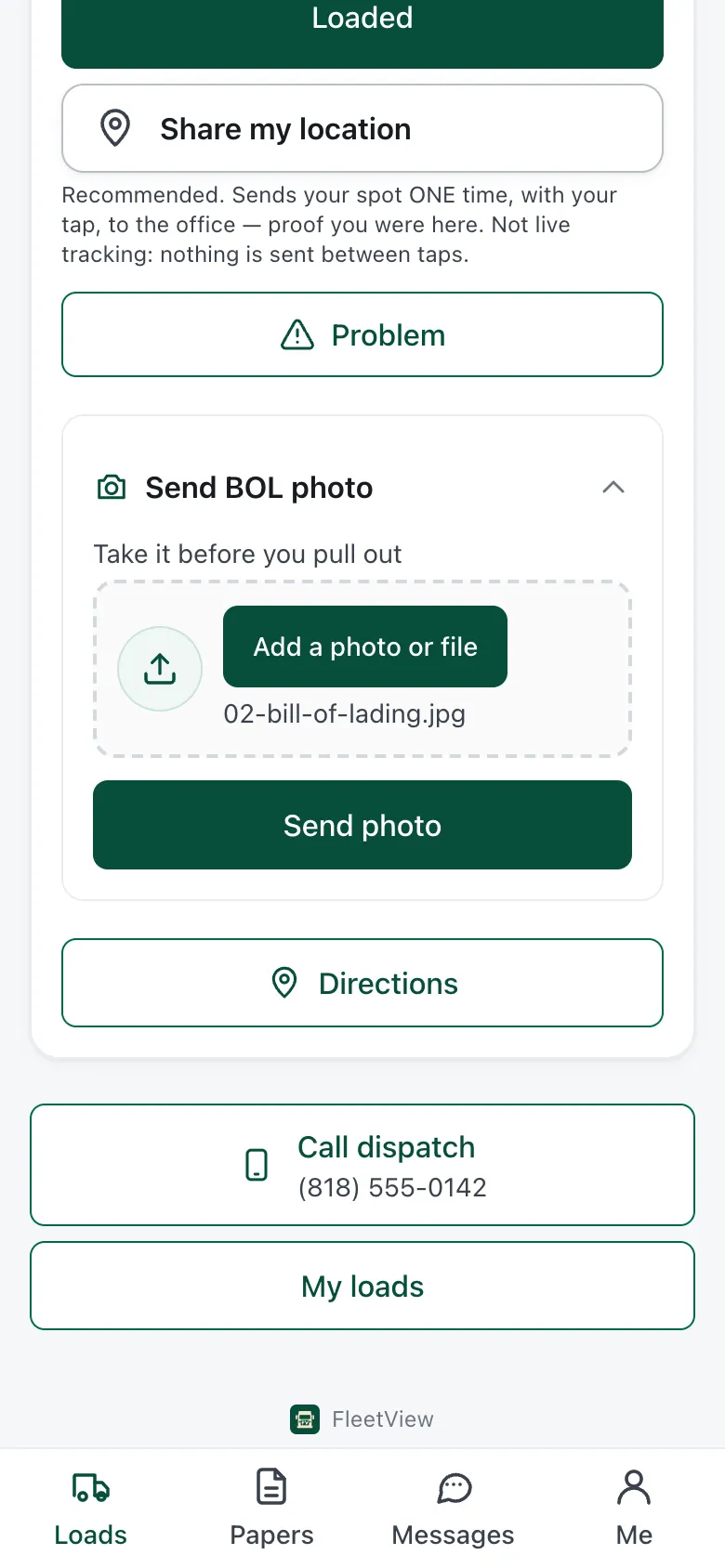
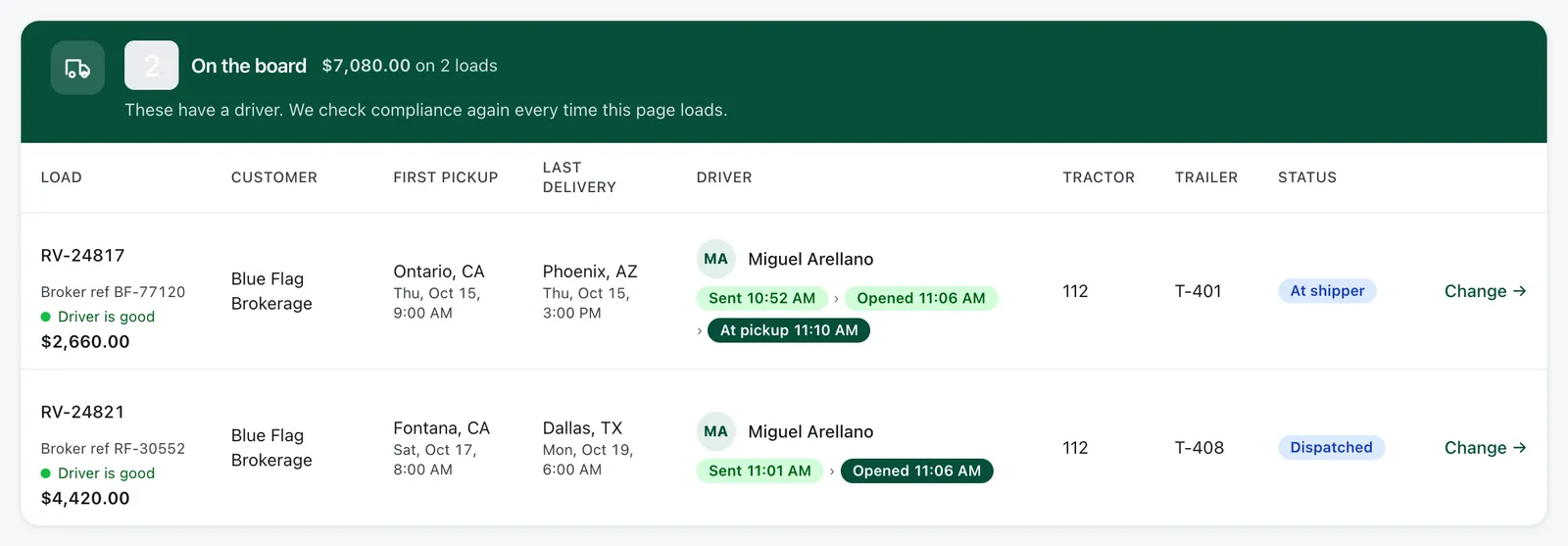
Dispatch
Every stop, reported from the cab.
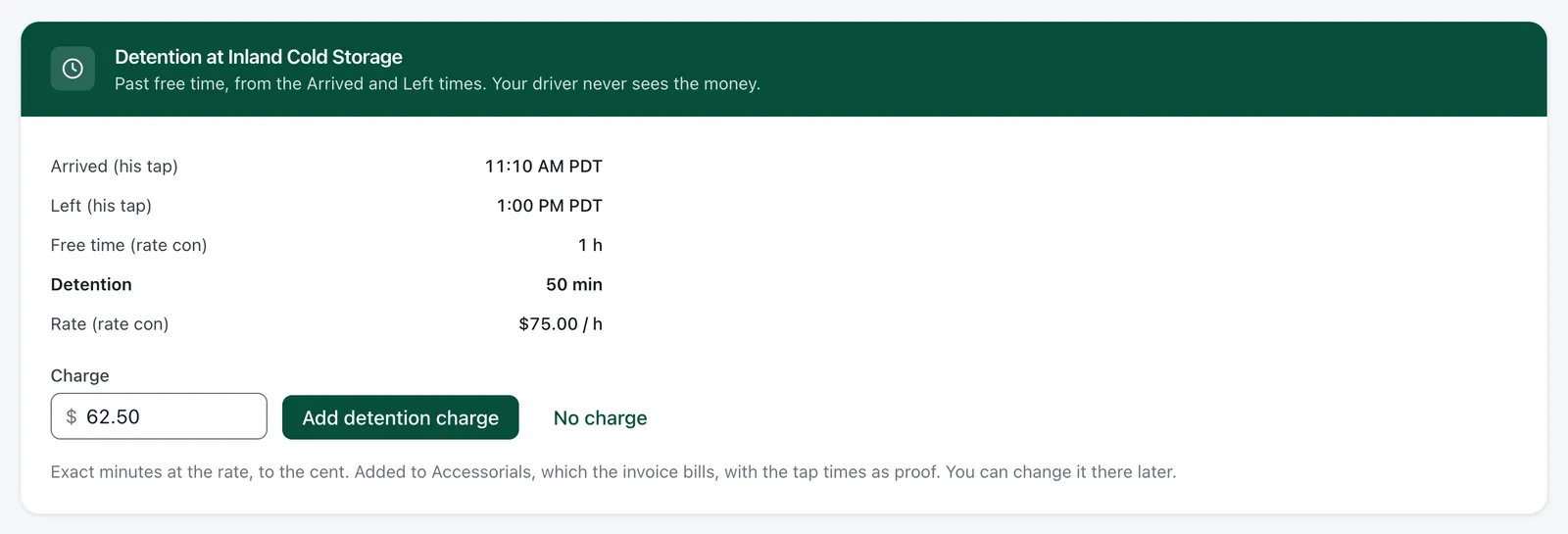
Detention and invoices
Detention times, ready to bill.
FMCSA record
Checked about once a day.
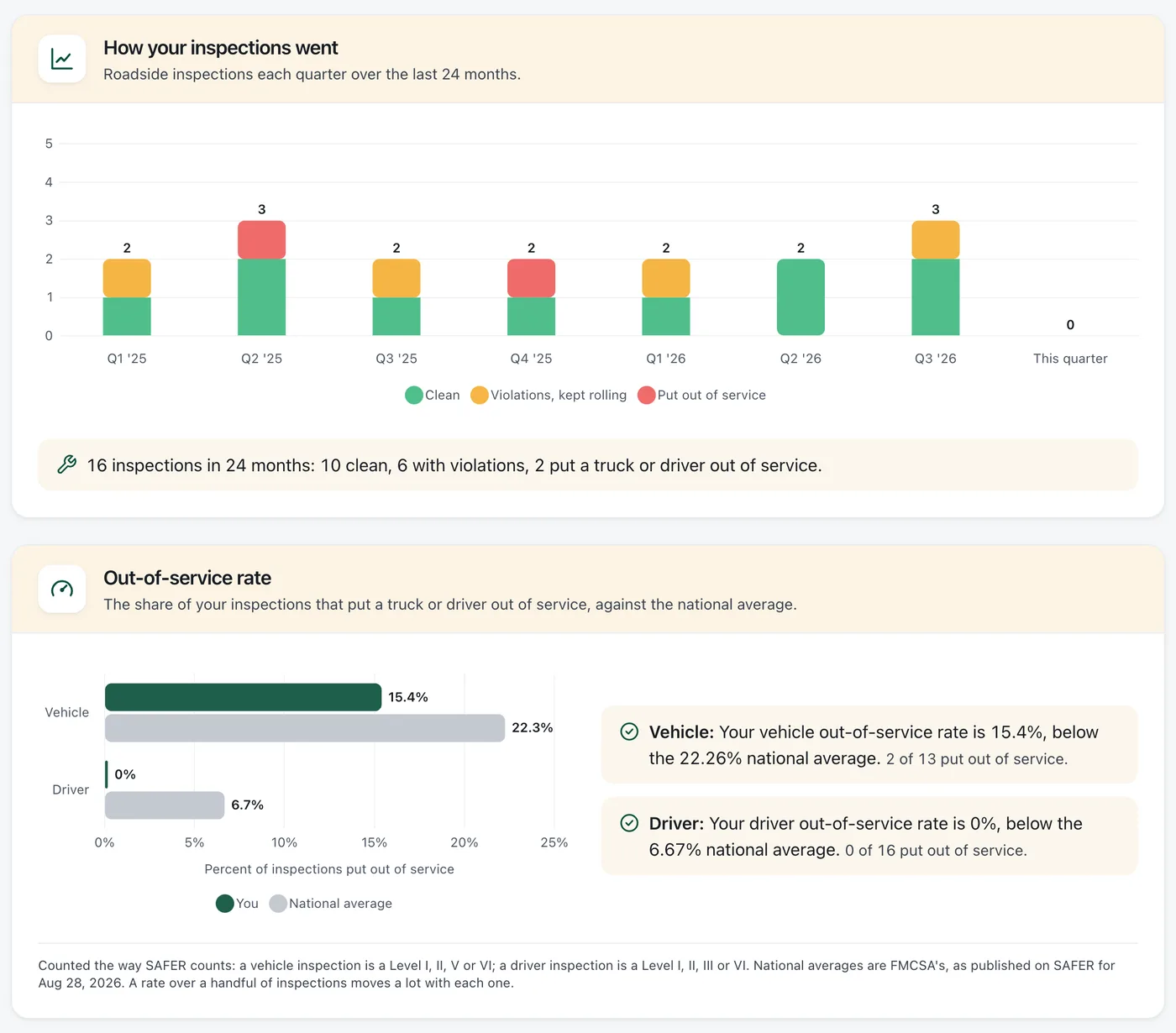
Roadside inspections
Days left to sign the report.
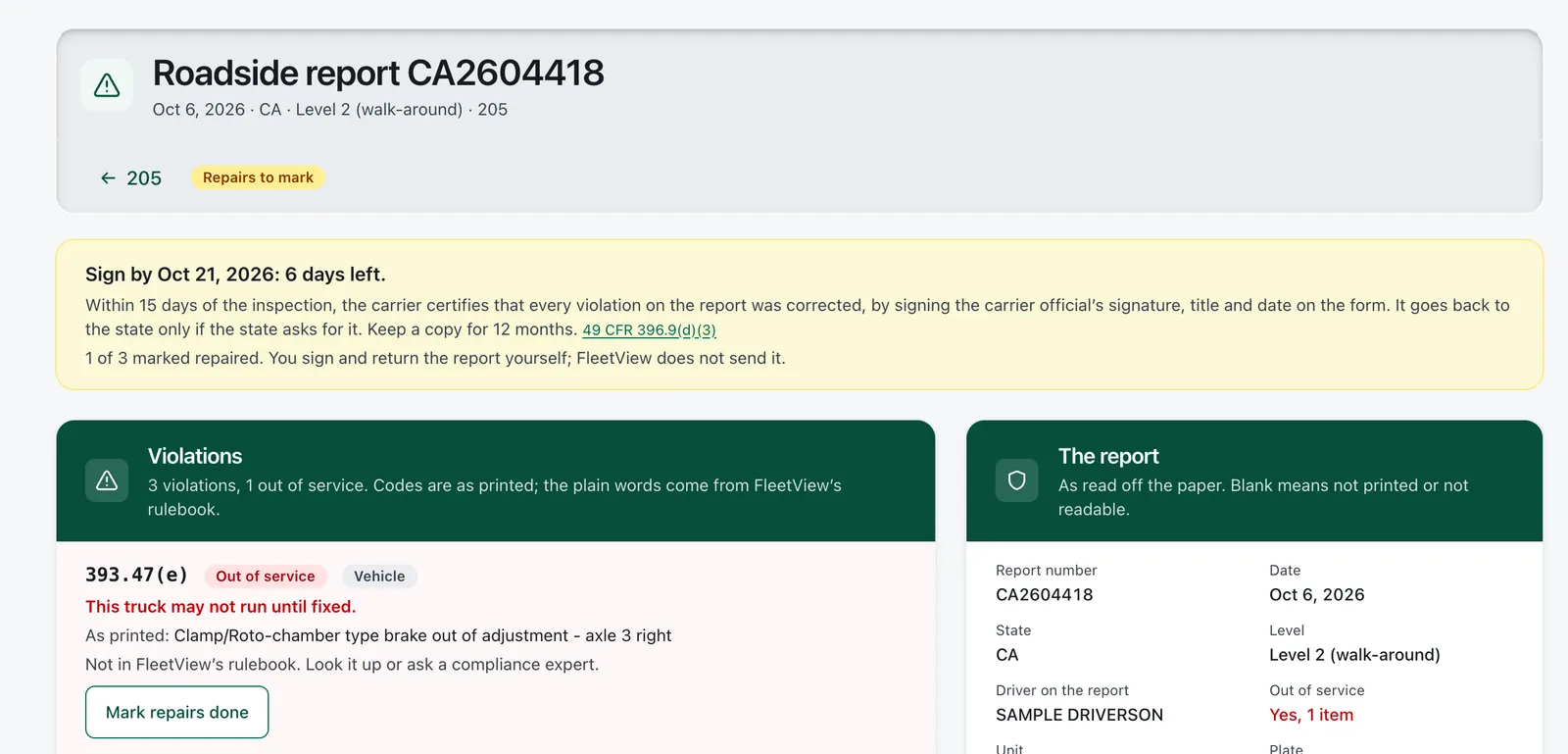
Screens shown with sample data.
See the whole app in 2 minutes.
A short tour with sample loads, drivers and dates.
When the rate con comes in
No more typing in rate cons.
Drop in the rate con any way it came: PDF, photo or email. FleetView AI reads it, you confirm, and the load is booked. Then it goes to your driver’s phone.
Only the gaps are left to you
Anything the paper did not say is marked, so you fill in just that.
A second look at the broker
You see whether the broker’s authority is active.
Wait terms come along
What the rate con says about detention travels with the load.
Papers checked at booking
A driver whose papers end before delivery cannot take the load.
When your driver waits at the dock
Charge for the wait, with the times to prove it.
Your driver presses a button when the truck gets to the dock and again when it leaves. Nobody has to remember the times. FleetView turns the time past the free hours into dollars.
You decide what to charge
Add the detention to the invoice, or leave it off.
Lumper fees, not lost
Your driver’s receipt photo becomes an invoice line you confirm.
One file, not five attachments
You send the broker everything they need at once.
Unpaid loads stand out
You see which loads the broker has not paid yet.
50 minutes past the free time, $62.50.
On this sample load: 50 minutes past the free time, worth $62.50.
While the load is on the road
Follow every load from pickup to POD.
You see each stop as soon as your driver reports it.
Every truck on one board
See all of today’s loads at once.
Delays reach you early
Your driver tells you why, and when the truck will get there.
Fewer “where is my load?” calls
The broker checks a tracking link instead of calling you.
Updates for the broker
Pickup, delays and delivery go to the broker by email.
For your drivers
Your driver gets the whole trip on his own phone.
Stops, papers, photos and messages, all in the driver app.
Each press tells you where the load is.
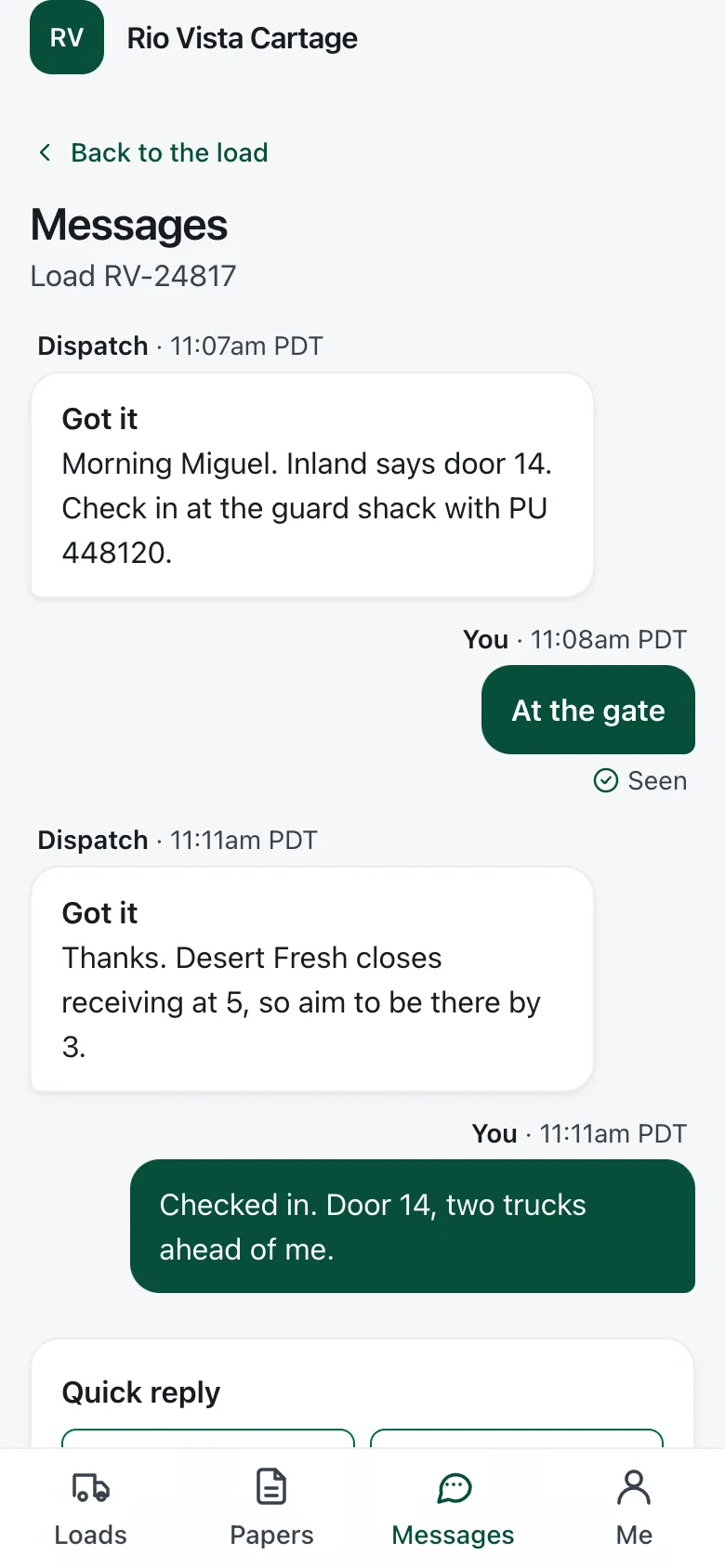
Nothing to download from an app store
Your driver opens your invite on the phone he already has.
Simple for a new driver
Big buttons and few words on every screen.
Keeps working in dead zones
Times stay true even when the signal drops.
Rates and pay stay with you
Your driver sees the stops, not what the load pays.
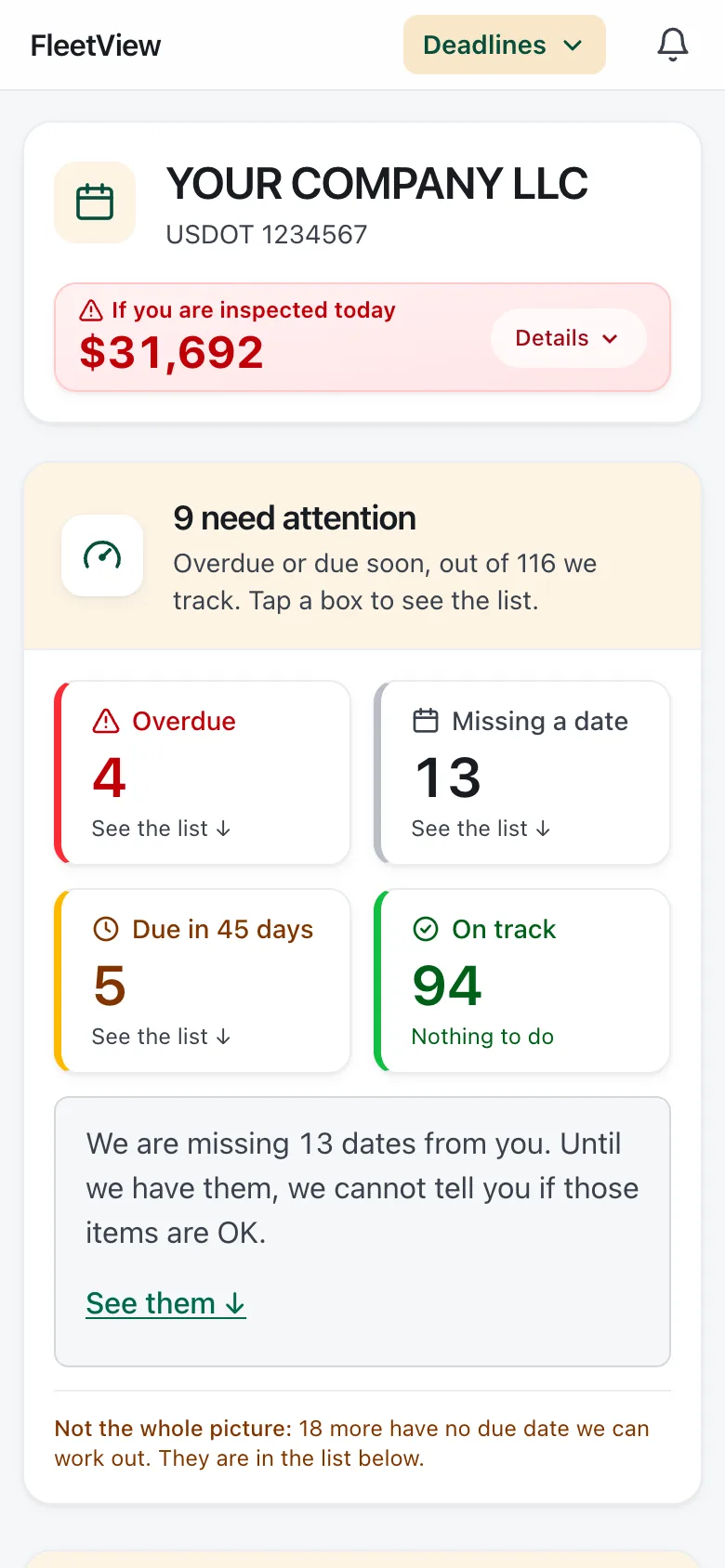
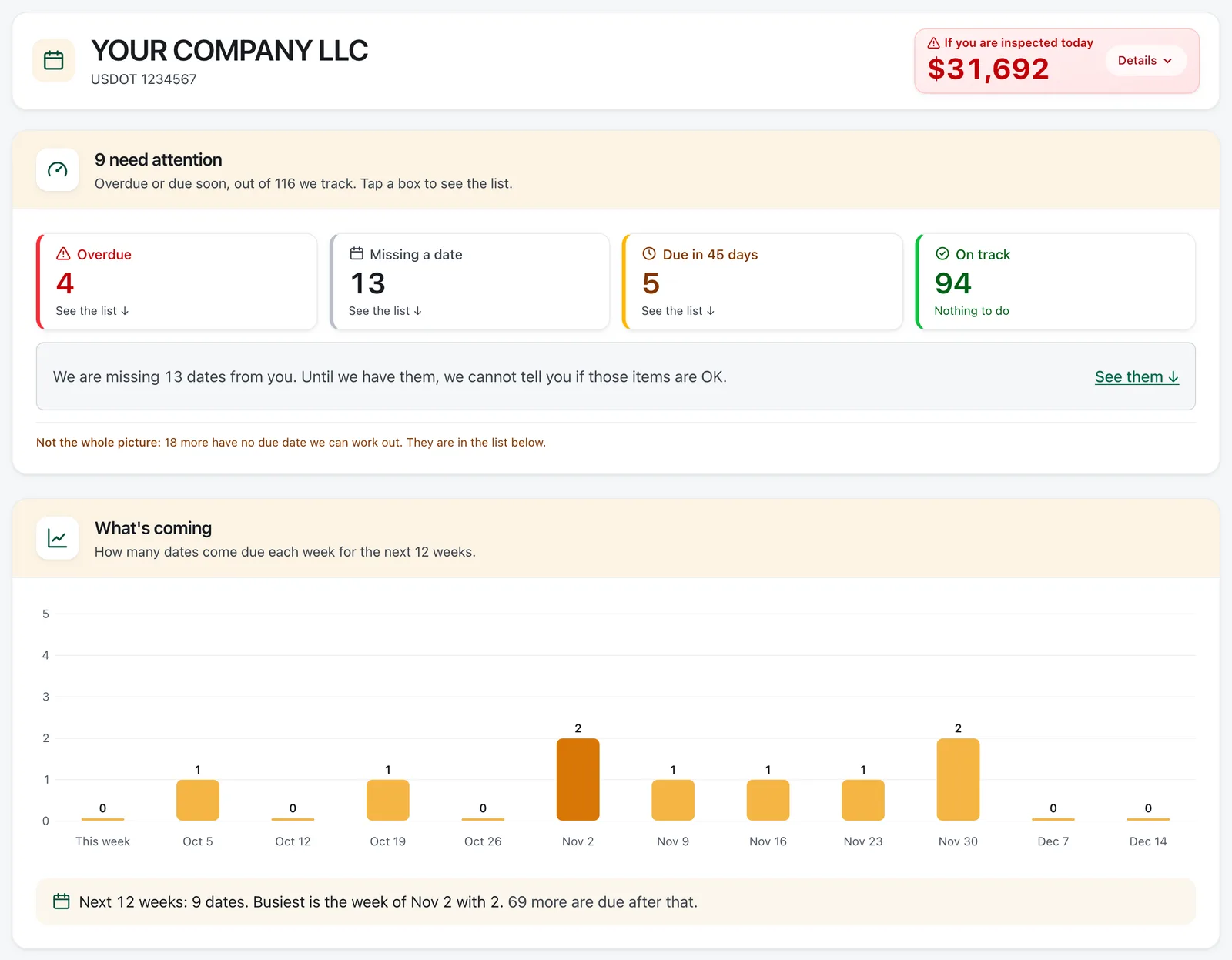
Before the DOT asks
See every DOT date coming, weeks ahead.
The next date due is always at the top, so you have time to act.
Blank dates are flagged
A date nobody entered shows up, so it does not slip by.
Bad news on your record, by email
An out-of-service order or a lapsed insurance filing gets its own email.
Inspected on the road?
Your driver sends a photo of the report, and you see how long you have to return it.
Two years of inspections
Your roadside results from the FMCSA record, quarter by quarter.
FleetView uses public FMCSA data. The FMCSA posts most inspections the day after they happen. We are not affiliated with the FMCSA or the U.S. DOT.
Set up in one evening.
Step 1
Type your DOT number
Your company, address, authority and fleet size come in from the federal record.
Step 2
Invite your drivers
Send each driver an invite by text, email or link.
Step 3
Drop your first rate con
Check the filled-in load and book it. It goes straight to your driver.
Then add photos of the medical cards and CDLs, and confirm each date.
Fines, with the rule
One missed date can cost thousands.
- A drug and alcohol testing violation (Part 382), for the employer
- $19,246
- and up to $4,812 for the driver
- A Clearinghouse violation
- $7,155
- A recordkeeping violation, each day
- $1,584
- up to $15,846
These are the most each fine can be. The amounts come from 49 CFR 386 Appendix B and took effect on December 30, 2024. We name the rule so you can check it yourself.
The price
The price is public. No sales call.
One plan, priced by the truck, with no setup fee. Read every number before you talk to anyone.
See the price for your fleet →Trucks only
Drivers, trailers, office staff and trucks you mark out of service cost nothing.
Yours to cancel
Cancel from your Billing page, with no one to call.
Pay after you see it work
Start free and book a real load first.
See the full price page
Every number, with a calculator for your fleet.
And the rest of your week.
All features →A truck check each day
Your driver reports a problem with a photo, so you hear about a bad brake before the next load.
Truck papers on your driver’s phone
Registration, insurance and permits ride along in the cab.
Driver expenses paid back
Receipts reach you as photos, not in a shoebox.
Driver pay, added up
Pick how each driver is paid. FleetView adds up the statement, and you pay.
IFTA miles and fuel by state
Fuel bought and miles driven, with a total for each state.
Accident register
Each crash and its papers, kept for the 3 years the rules require.
Works beside your ELD
Nothing to swap out in the cab.
Sign a driver out when he leaves
When a driver quits, you end his access right away.
Reminders for anything else
Add any date of your own, and FleetView reminds you about it too.
Straight answers
Does it track my trucks by GPS?
No. Nothing is installed in the truck. You follow the load through the steps your driver reports, and a location goes with a step only when your driver has chosen to share it.
What if I already use an ELD?
Yes, use it as before. FleetView is not an ELD, will not become one, and never edits logs. When you send a load, FleetView estimates whether your driver has the hours for it. For hours of service, your driver’s ELD is what counts.
I do not run in California. Is this for me?
Yes. Most rules in FleetView are federal (40 of 57), from driver files to yearly filings, and they apply wherever you run. The other 13 are California rules, and you never see them unless you run there.
I run in California. What does that add?
State dates such as Clean Truck Check, the 90-day BIT inspection and Cal/OSHA training. A fleet based in California starts with them. If your base is in another state, you switch them on in Settings.
Do I have to enter all my drivers and trucks?
No. Start with the drivers and trucks you run this week and add the rest as you go. For a date that is only on paper, take a photo and confirm the date.
Do you file my paperwork for me?
No. FleetView shows what is due, which form it is and where it goes. You file it, or the service you use now files it.
Do you bill the broker for me?
No. FleetView makes the invoice. You download it and send it yourself.
Can you check the Drug and Alcohol Clearinghouse for me?
No. Only you may sign in to your Clearinghouse account, so be careful with anyone who offers to do it for you. FleetView reminds you when your next query is due.
How do you know when something lands on my federal record?
About once a day, FleetView compares the public FMCSA data for your USDOT number with its last copy. Then it tells you what changed.
Can my local drivers keep their daily time record here?
Yes, if they work within 150 air-miles of where they report. Nothing changes until you switch it on.
Can a broker stop the tracking emails?
Yes, from a link in any of the emails. You can also leave them off for a load.
Start with your next load.
Drop your next rate con and watch it reach your driver’s phone. Or look up your USDOT number. No account needed.
30 days free. No card needed. Cancel anytime.